Meetings with context
Keep meeting details, agenda items and minutes notes connected. See what’s coming up and prepare for the next conversation.
 BoardHarbourBY RELEASED GROUPLet’s talk
 BOARD MANAGEMENT, AT HOME IN SHAREPOINT
A clear place for your board to prepare, decide and follow through. Bring meetings, papers and commitments together in the Microsoft 365 environment you already use.
Arrange a demo Explore the workspace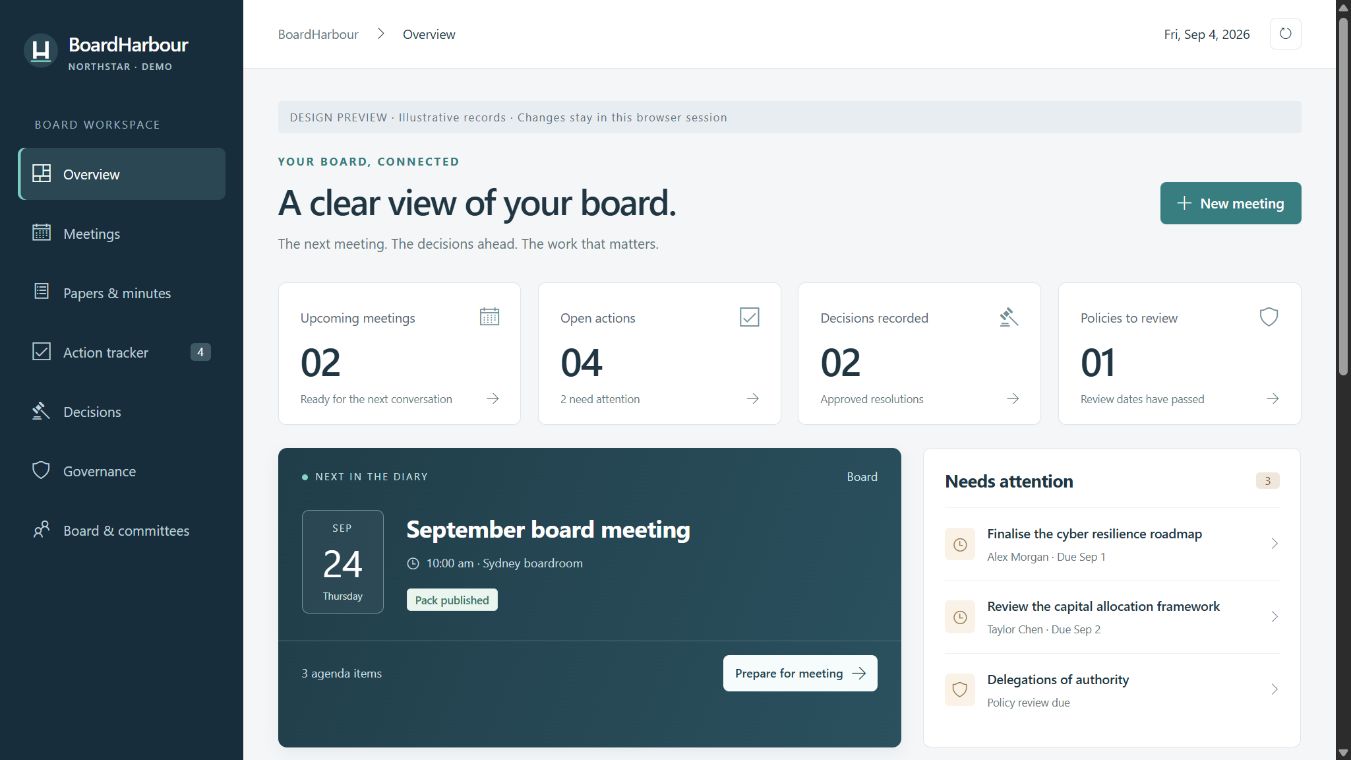
SharePoint Online / Your existing permissions / Released Group support
01 / THE WORKSPACE
From the first agenda item to the last follow-up, give your secretariat and directors a shared view of the work that matters.
Keep meeting details, agenda items and minutes notes connected. See what’s coming up and prepare for the next conversation.
Bring selected PDFs into one draft board pack, with a cover, contents, agenda and a record of source versions. Review it before saving.
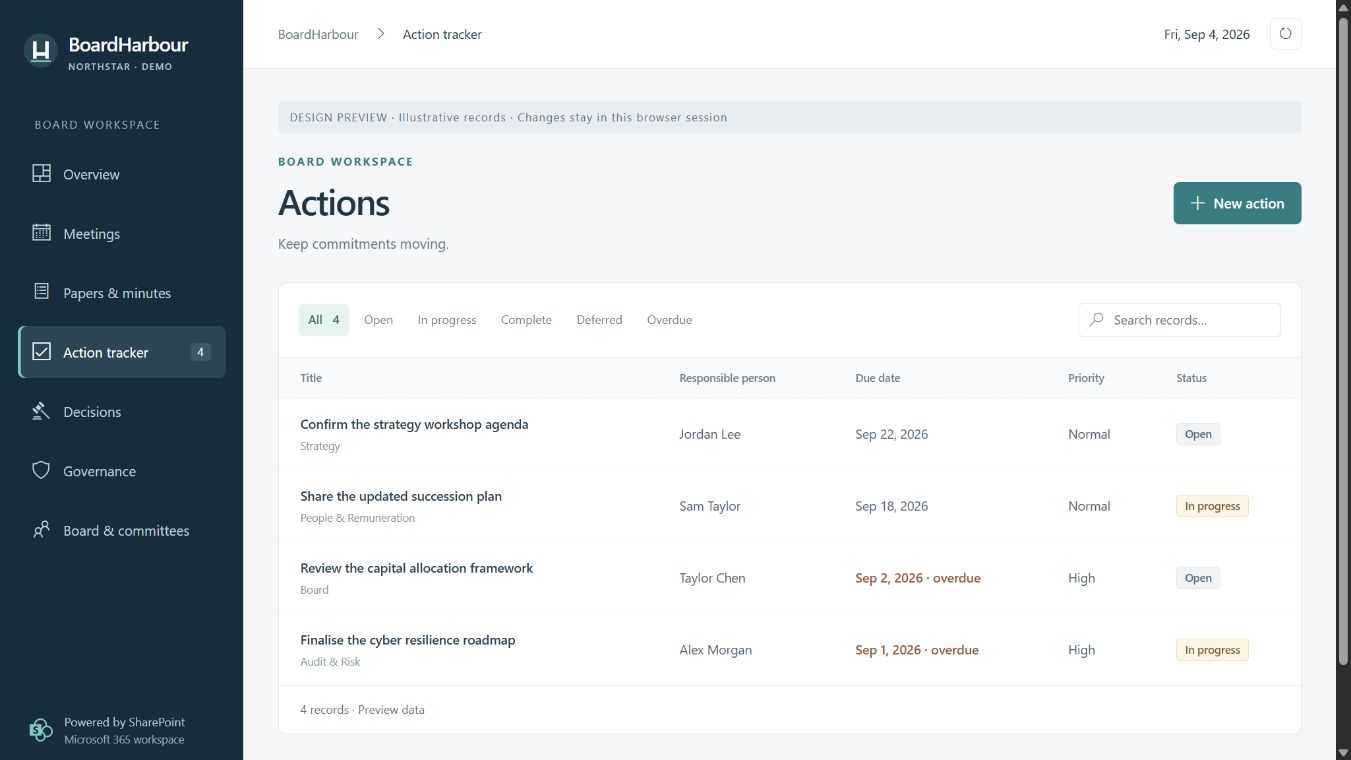
Record outcomes, assign responsibility and follow open actions. Keep commitments visible long after the meeting ends.
THE BIGGER PICTURE
Bring risks, interests, director and committee membership, and policy reviews into the same workspace.
Built on your SharePoint foundations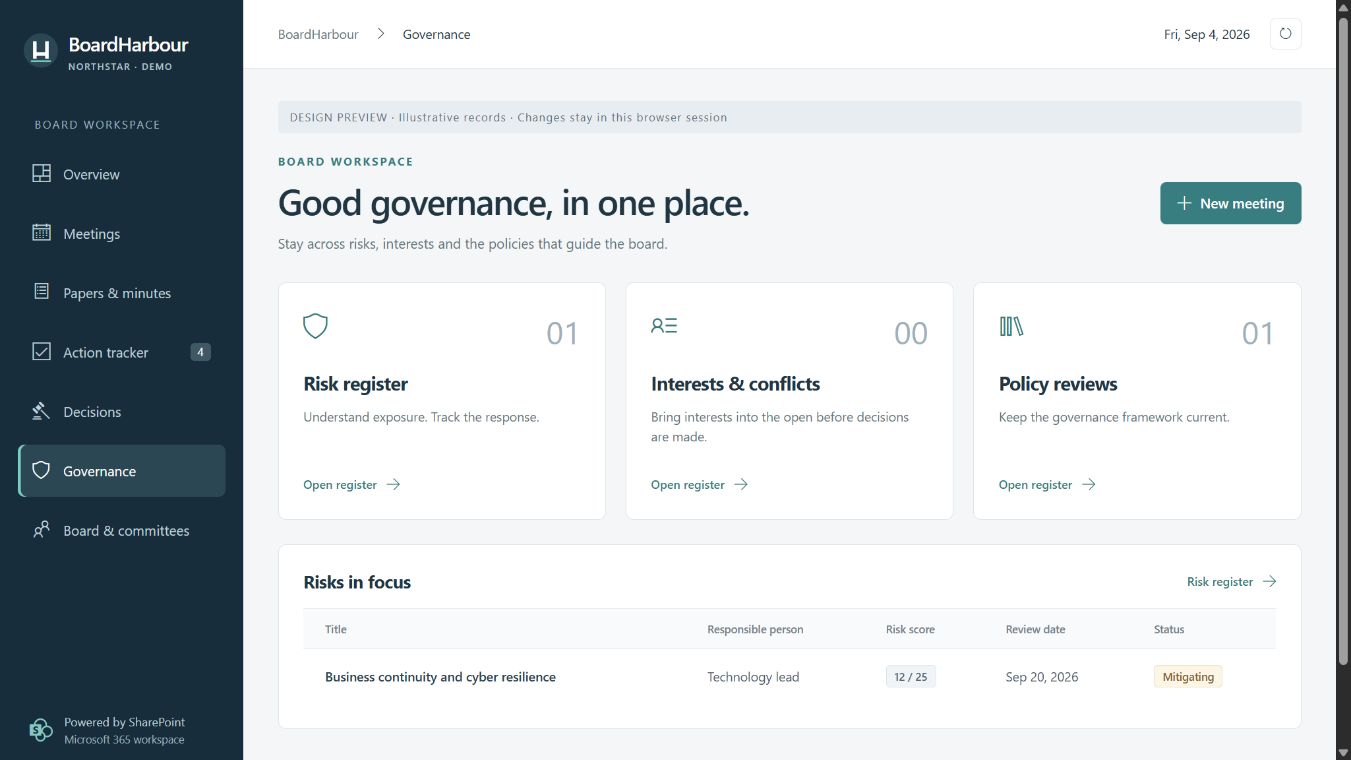
02 / THE MEETING CYCLE
A continuous thread from preparation to progress.
BEFORE THE MEETING
Set the agenda, organise papers and compile the draft pack. Add a reviewed Copilot briefing when your agent is configured.
AROUND THE TABLE
Keep minutes notes alongside agenda items. Record decisions and link the actions that will turn discussion into progress.
AFTER THE MEETING
Track ownership and due dates, review open commitments, and retain approved minutes in your SharePoint library.
03 / YOUR MICROSOFT 365
BoardHarbour lives in your SharePoint site. Your board’s records and documents use its existing access controls and libraries.
Eight connected registers. Three document libraries. One focused workspace.
EXTEND WITH OPTIONAL MICROSOFT SERVICES
Use a configured SharePoint agent to search board documents and draft briefings with source references. Review the text before adding it to your pack.
SharePoint agentsConfigure a scheduled Power Automate flow to remind your nominated mailbox when open actions need review.
Power AutomateUse Microsoft 365 eSignature from SharePoint to request signatures on final PDFs and retain signed originals and their audit trails.
Microsoft 365 eSignatureOptional services require administrator setup and eligible Microsoft licences or usage billing. Copilot drafts are reviewed by a person; signature requests are sent from SharePoint.
FROM DECISION TO DELIVERY
Know who owns the next step. See what is due. Keep the commitments from your boardroom in view.
See BoardHarbour in actionA FEW PRACTICAL DETAILS
We’ll help you work through the details.
Ask Released GroupSharePoint Online, a modern SharePoint site and an administrator to deploy the application. A site owner then sets up the workspace. Released Group can discuss the right onboarding approach with you.
Contact Released Group for a quote covering your licence scope, onboarding and support. Microsoft 365 and any optional Microsoft services are licensed or billed separately.
The builder combines up to 40 unsigned, unencrypted PDFs, within 75 MB and 1,000 source pages. Export Office documents to PDF first, and retain signed originals separately.
Core board registers and the PDF pack builder work without Copilot. People using the optional SharePoint agent need eligible licensing or access through an administrator’s pay-as-you-go setup.
MAKE ROOM FOR BETTER DECISIONS
Let’s talk about your board, your Microsoft 365 environment and a workspace that brings them together.
Arrange a demo support@releasedgroup.com